
All Musku features
A complete training log built for the gym: quick to use during your workouts and precise for tracking your progress over time.
Features marked Premium require a subscription. Everything else is free, with no time limit and no ads.
During a workout
Log your sets without breaking your flow
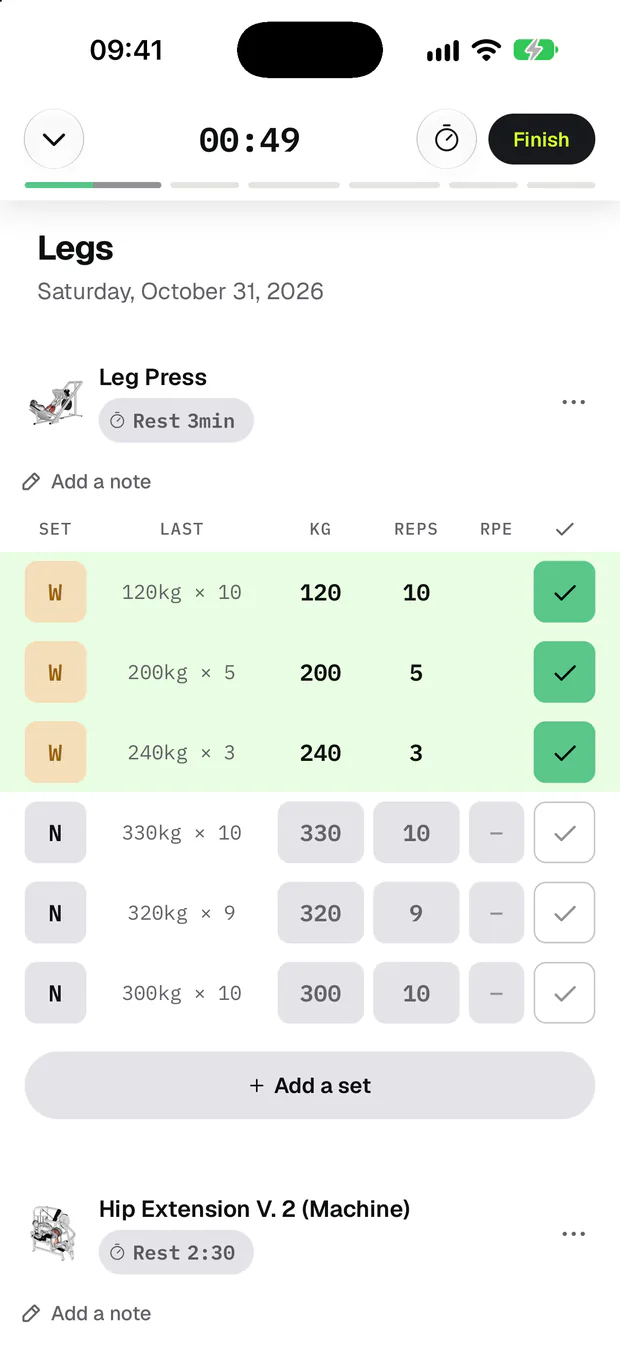
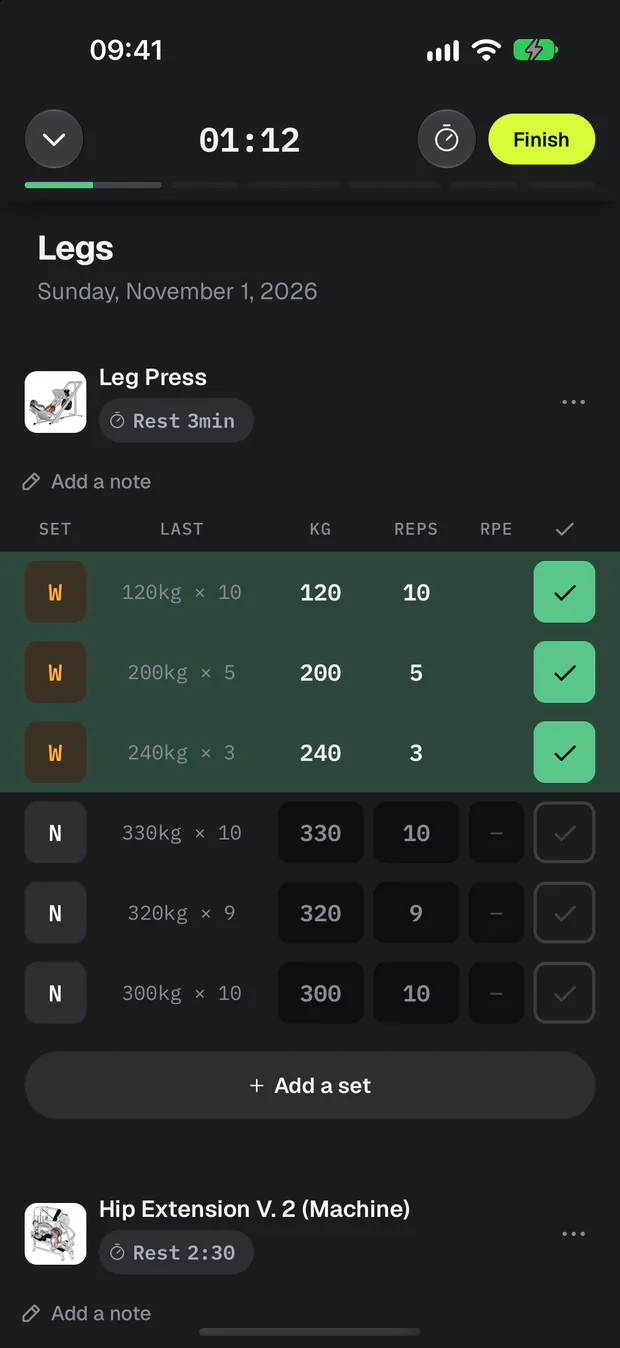
Your last performance in plain sight
Every set shows what you did last time, without digging through your history. You compare against all your workouts or only the same template.
Automatic rest timer
Check off a set and the timer starts automatically. Set your rest time per exercise, from 30 seconds to 10 minutes, and choose the default duration for your new exercises.
Notified even when your screen is locked
Musku alerts you with a vibration and a notification when your rest is over. On iPhone, the timer stays visible on the lock screen and in the Dynamic Island.
Warm-up, failure, drop sets
One tap on the pill marks a set as warm-up, failure or drop set. Warm-up sets are counted separately and don't add to your training volume.
Warm-ups worked out for you
From an exercise's menu, add your warm-up sets in one tap: Musku works out their loads from your working weight. You set the percentages, reps and rounding in the settings.
Log your perceived effort (RPE)
Turn on the RPE column in the settings, then rate the effort of each working set from 6 to 10: how many more reps could you have done?
A load to aim for, based on your last workout
Under each exercise, Musku suggests a load and a rep count: go up a step, keep the load or go lighter. Turn the suggestion on in the settings, then fine-tune it exercise by exercise.
The plates to load on each side
Enter a load on a barbell exercise and Musku shows the plates to load on each side, right above the keyboard. Set your bar weight and your gym's plates in the settings.
Chain your exercises in supersets
Group two or more exercises in a superset: you move from one to the next with no rest, and the timer starts at the end of the round. Set it up in your template or improvise it mid-workout.
Stopwatch for holds and cardio
For planks, isometric exercises and cardio, start a full-screen stopwatch: the duration is added to your set automatically.
Columns that fit each exercise
Musku adapts what you enter to the exercise: load and reps, bodyweight, added weight, assistance, distance, duration or hold time.
Log a set without closing the keyboard
The arrow above the keyboard moves from load to reps, then checks off your set and puts the cursor on the next one. The rest timer starts just as if you had tapped the checkmark.
Live records
The moment a set beats a record, a trophy appears. One tap shows your old record, the new one and how much you improved.
A workout that adapts
Machine taken? Swap an exercise, change the order, add or remove sets and adapt your workout on the fly.
Notes per exercise
Keep a technique cue, a machine setting or a reminder on every exercise. Your notes come back automatically next workout.
A comment on every workout
At the end of each workout, you can leave a comment on how you felt, how you performed or anything you want to remember. You'll find it later in your history.
Minimise your workout whenever you like
A progress bar shows how far along you are. Switch to the mini bar to use the rest of the app, then come back to your workout with one tap.
In detailWorkout loggingRest timerRecords, 1RM and progress charts
Workouts & programs
Workouts, ready to start
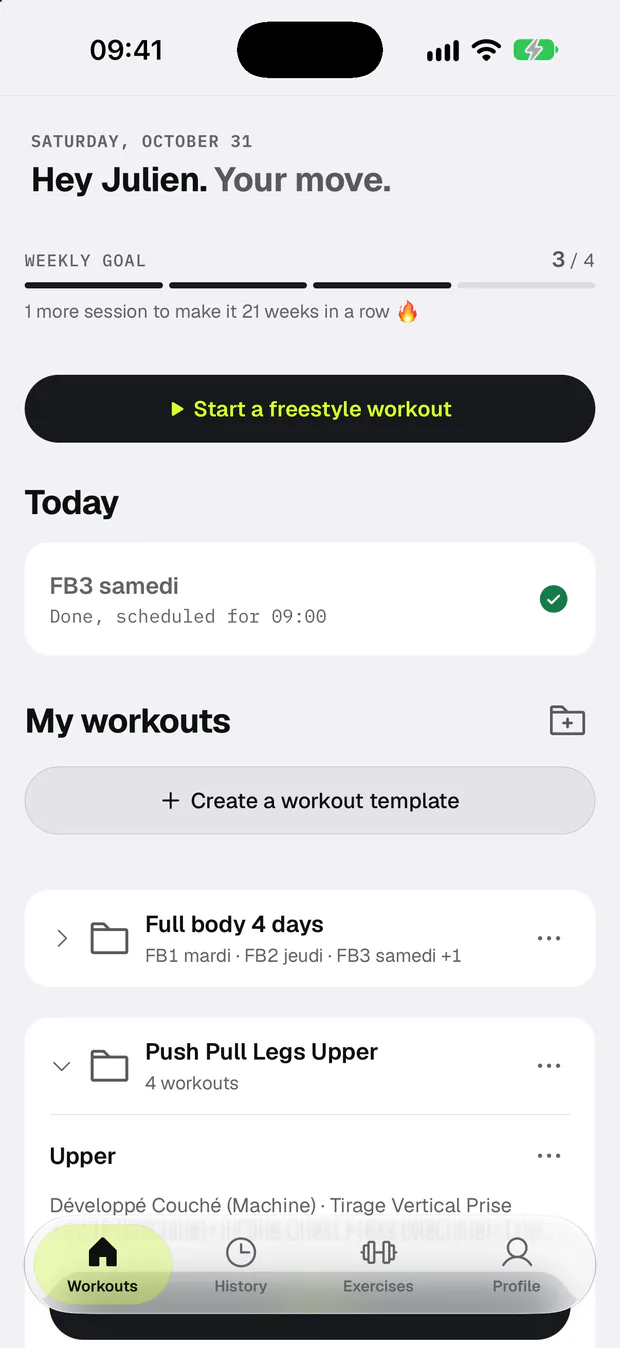
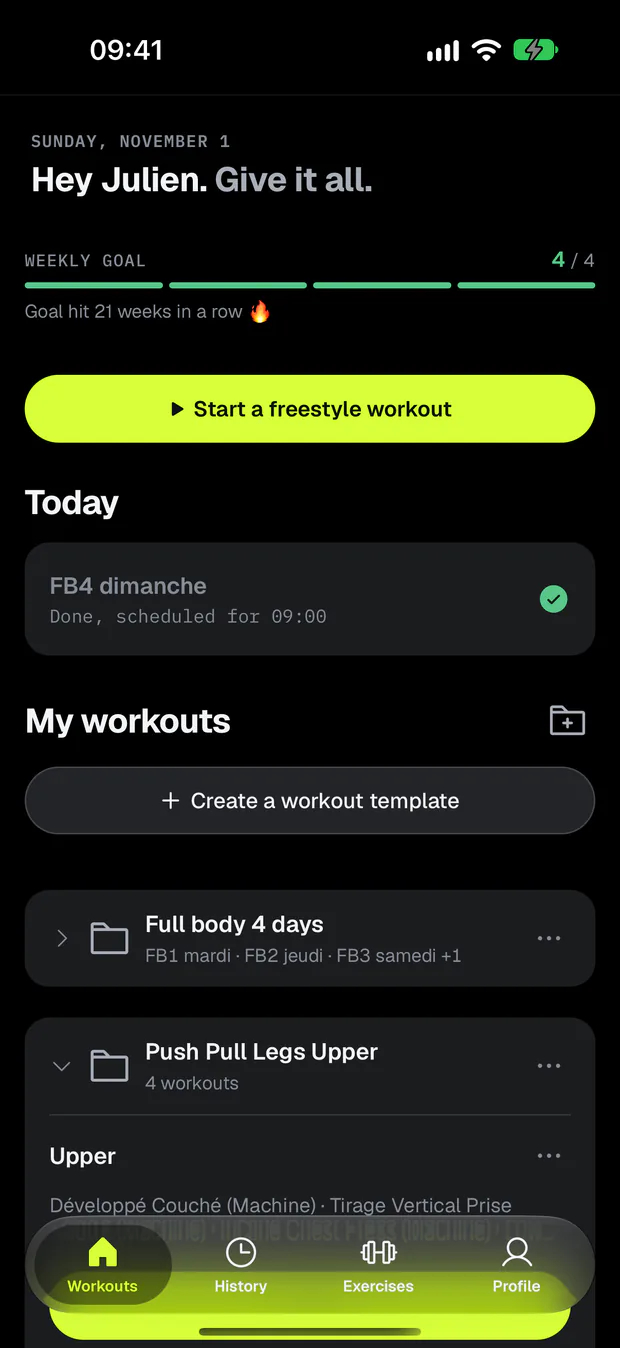
Workout templates
Plan your workouts ahead: exercises, sets, reps, target loads and rest times. Up to 3 templates on the free plan, unlimited with Premium.
Plan your week
Link each workout template to the days and time of your choice. Your home screen shows today's workout, or the next one, ready to start, and a notification reminds you at the scheduled time.
Organise your workouts in folders
Put the workouts of a program in a folder, then reorder them with drag and drop.
Freestyle workouts
Feeling spontaneous? Start a workout without a template and add exercises as you go. If you want to do it again, turn it into a template in two taps.
Ready-made programs
Beginner Full Body, Upper / Lower, Push Pull Legs… Filter programs by level, place and goal, import the one that suits you in one tap, then adapt it to your needs. Some programs are Premium only.
Weekly goal
Set how many workouts you want to do each week. Musku tracks your goal and counts your successful weeks in a row.
Editable history
Find all your past workouts and fix them at any time: name, date, duration or any set.
In detailTemplates, folders and freestyle workoutsReady-made programs
Exercises
1,000+ exercises, plus your own
1,000+ exercises
1,000+ exercises with instructions, sorted by muscle group and equipment: barbell, dumbbells, machines, cables, kettlebell, resistance bands or bodyweight.
Create your own exercises
Missing an exercise? Create it in seconds with its muscle group, category and secondary muscles. It then counts in your statistics. No longer using it? Archive it: your history stays intact.
A page per exercise
Your records, statistics and full history for each exercise, all in one place.
In detailExercise library
Records & progress
Track your progress, workout after workout
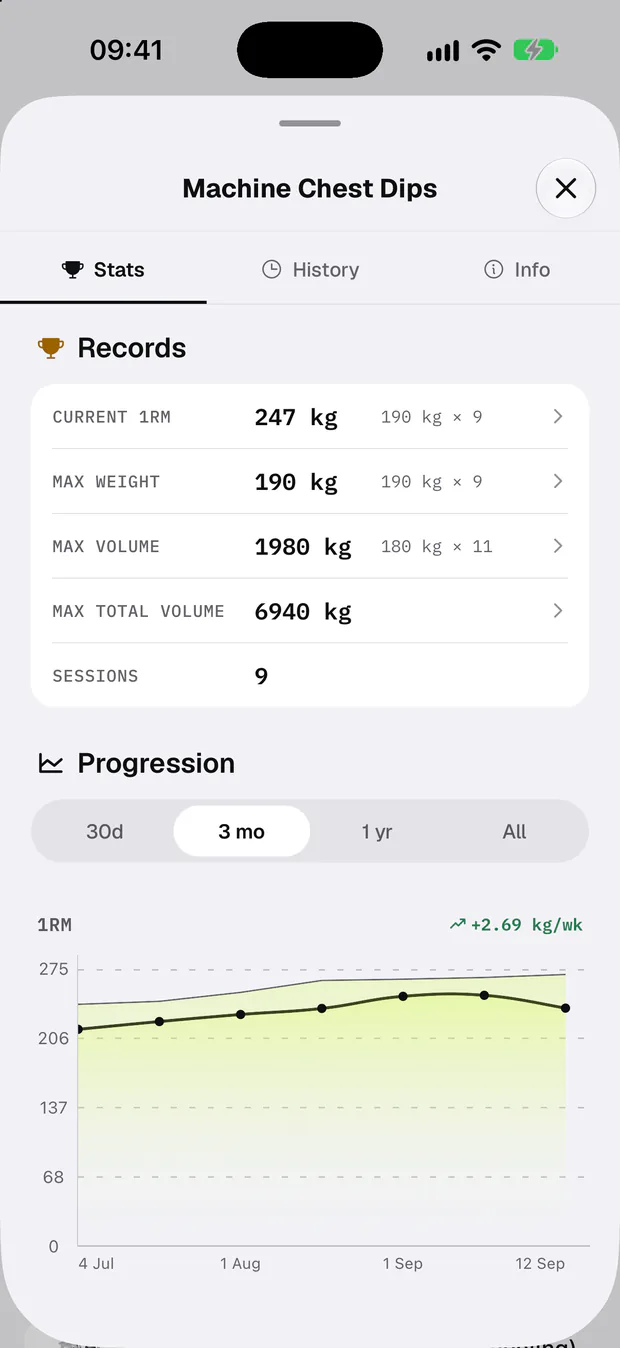
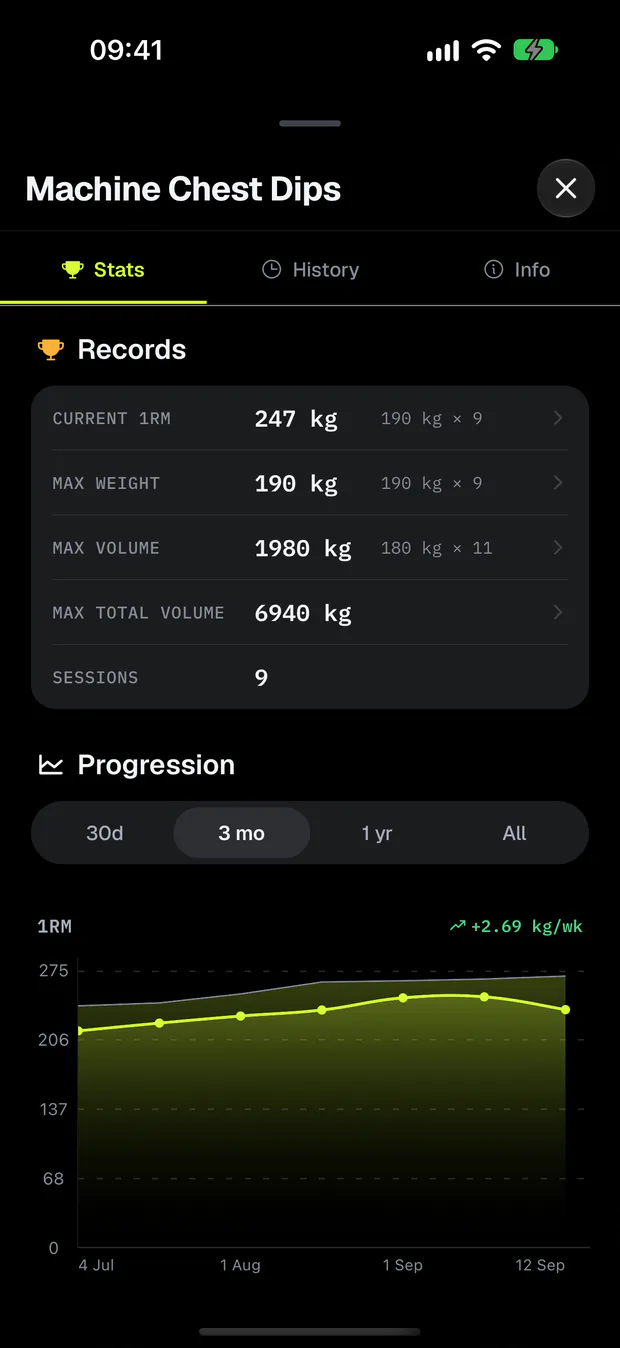
Your records, detected automatically
Max weight, estimated 1RM, volume, reps, plus distance and time for cardio: Musku spots your new records automatically.
Estimated 1RM
Follow your 1RM without testing your max: Musku estimates it from your performances, using the Epley formula.
Progress charts Premium
See how your 1RM, loads, volume, reps, distance or speed evolve over 30 days, 3 months, 1 year or since you started.
Share card
Turn your workout into an image ready to share: summary, exercises done or record beaten, with a photo in the background if you like.
StatisticsPremium
Your training in numbers
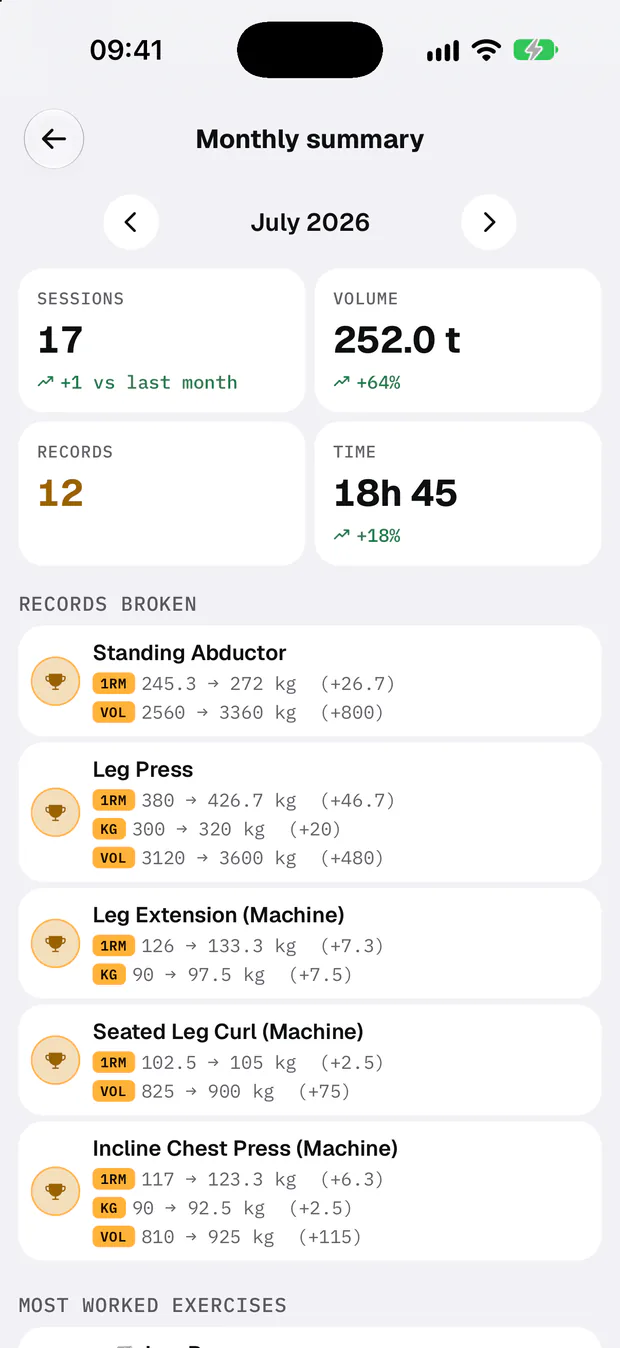
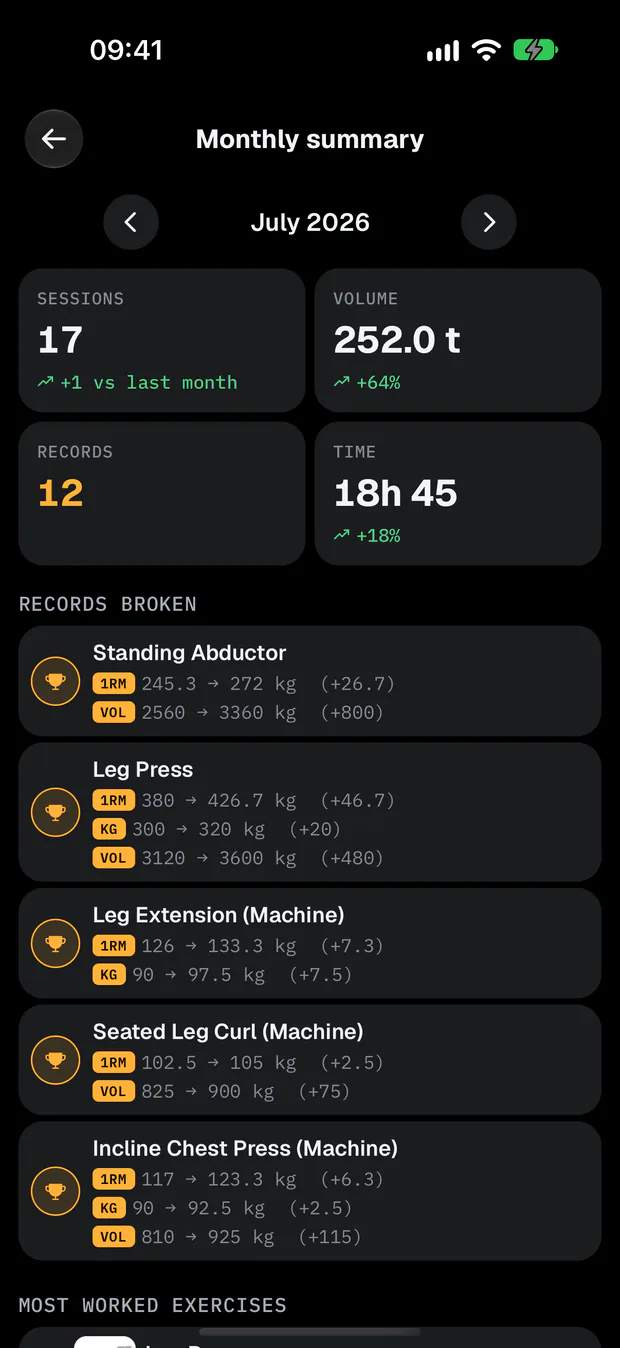
Your month at a glance
See your workouts, volume, records and training time for the month, with the differences from the previous month.
Muscle distribution
See how many sets you did for each muscle group over the week or the month, with reference zones to gauge your training volume. Tap a muscle to find the exercises that worked it.
Check that your program is balanced
Does your program train all your muscles? Musku counts the sets planned for each one and shows you which are trained a lot, only as secondary, or not at all.
Your biggest progressions
Discover the 10 exercises you improved the most over 30 days, 3 months, 1 year or since you started, by 1RM, load or volume.
Strength index
A single number to follow how your strength changes: it starts at 100, then goes up when your performances improve and down when they slip. Musku shows how it changed over 3 months, 6 months and 1 year.
Compare your workouts
Pick a template and a date: Musku shows you that workout's volume, duration, best set and records, compared with the previous times.
Activity calendar
See your last 53 weeks of training, your consecutive weeks and your consistency record.
Badges
Unlock badges as you train: workouts done, volume lifted, consistency, records and exercise variety.
In detailStatisticsMuscle distribution
AI analysis
Have your training analysed by the AI of your choice
Ask Claude or ChatGPT about your training Premium
Link Musku to Claude or ChatGPT, then ask your assistant how an exercise is progressing, for a recap of your last few weeks or how balanced your program is.
Progress analysis Premium
Musku prepares a structured summary of your last 30, 60 or 100 workouts. Then share it with ChatGPT, Claude or Gemini to get an analysis.
Program analysis Premium
Musku prepares your program for review by the AI of your choice: volume, muscle distribution and structure. Start from your profile or straight from a folder.
You decide what the AI reads
The summary only leaves your phone when you paste it into an AI yourself. The connector cannot change anything, and it never sees your weight, body measurements or email.
In detailClaude and ChatGPTAI analysis
Apple Watch
Your workout on your wrist
Log your sets from your wrist
Log sets, loads and reps, change the set type and follow your rest time right from your Apple Watch.
Leave the iPhone in the locker
Start a free workout or one of your templates straight from your Watch. Once finished, the workout syncs to your iPhone as soon as it's in range.
Live heart rate
Follow your heart rate throughout your workout with your Apple Watch sensors.
In detailApple Watch
And more
The details that matter
Even with no signal
No connection at the gym? You train as usual: your sets are saved on the phone, and Musku syncs them as soon as the network is back.
Apple Health and Health Connect
Save your workouts to Apple Health or Health Connect, and sync your weight and body fat.
Body measurements
Track your weight, body fat and up to 10 measurements: shoulders, chest, arms, waist, hips, thighs and calves. Musku works out your FFMI from them. See how they evolve with Premium.
iPhone widget
Find your workouts right on your iPhone home screen and start the one you want in one tap.
Changing phones?
Log in to your account: your workouts, your templates and your Premium subscription follow you, from iPhone to Android and the other way round.
Light and dark theme
Pick the light or dark theme, or let Musku follow your phone's setting automatically.
In English and French
Musku, the Apple Watch app and the programs are available in English and French.
No ads
No banners, no interruptions, on the free plan and on Premium alike. Musku is built in France by an independent developer.
In detailOffline modeApple Health and Health ConnectBody measurementsiPhone widget
Ready to log your next workout?
Download Musku for free on iPhone or Android. No ads, and a dedicated Apple Watch app.
Download Musku